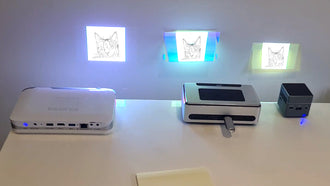
The Pico Genie A100 iPhone/ iPod touch accessory is about to get even better!

If you have ever wanted to view your iPhone 4/S or iPod Touch’s display on the big screen, now you can!

Pico Genie A100 LED projector. iPhone 4/4s case, pico projector, extended battery and rugged case designJust released, the free new App “Projout” allows you to view your photos (without being in slideshow mode), PDF documents, websites, streaming video and more from your A100 projector for iPhone.

This is sure to make viewing what you see on your iPhone/ iPod Touch the best it can be.

The App is available to download from the Apple store here, completely free!

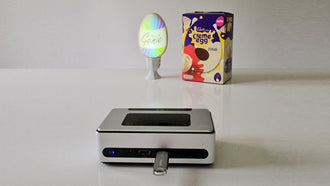
To the right and below you can see the ProjOut app being used on the iPod Touchwith the Pico Genie A100.

It even allows you to stream content live from the camera built into your iPod / iPhone!


This entry was posted in Personal Projector Blog, Press Releases and tagged , , , , , , , , , , , , , , , , , , , , , , , , , , , , , , , , , , , , . Bookmark the permalink.

7 Responses to The Pico Genie A100 iPhone/ iPod touch accessory is about to get even better!

  1. Jesse says:

    In other words, it doesn’t let you mirror anything on the phone – only things in the app (PDF, web, images, camera). For example, Angry Birds does not show through the projector.

    • Ashley says:

      Hi Jesse. Yes that’s right, this app will allow you to project out photos, web pages (including streaming video) PDF documents, and your rear/ front camera display live. At this stage it will not project out Apps such as angry birds, but we will keep you updated as the apps develop.

  2. Rafael says:

    How do I transfer the PDF files to the Iphone to project them with ProJout?

    • Ashley says:

      You can transfer PDF files to your mobile phone in the normal way via PC, WiFi, email.

      Once on the iPhone you go to the ProjOut App, select the PDF option and follow instruction to get the desired PDF to display on your phone. Then Click the small icon on the bottom right of the screen to project it out.

  3. wade reese says:

    Dear sirs,

    If I have a Lightning adapter and an iPhone 5, will Projout and the A100 work?

    Thanks,

    Wade

    • Ashley says:

      Hi Wade,

      Unfortunately the answer is no, I believe not. The new port / adapter does not seem to be reliably compatible with the old ports and the output port on the A100 is for the iPhone 4 / 4S and iPod Touch (4th Gen).

      It would also affect the aesthetics of the Pico genie A100. If you are looking to connect your iPhone 5 to a projector I would suggest the Pico Genie P100 which has a brilliant 85 lumens of brightness. You can connect your adapter to the HDMI included in the box and project out for up to 2 hours on (rechargeable) battery power. There is also a USB out port on the P100 which allows you to charge your mobile device whilst in use similarly to the A100.

      I hope this helps

  4. Wade Reese says:

    Thanks for your quick reply.

    I guess it is eBay for me (to sell my old projector). Then I can look at that new HDMI model.

    I really appreciate your advice.

    Regards,

    Wade

Leave a Reply

Your email address will not be published. Required fields are marked *

*

You may use these HTML tags and attributes: <a href="" title=""> <abbr title=""> <acronym title=""> <b> <blockquote cite=""> <cite> <code> <del datetime=""> <em> <i> <q cite=""> <strike> <strong>